5.1 Locating the Chart of Accounts (COA) Mapping Form
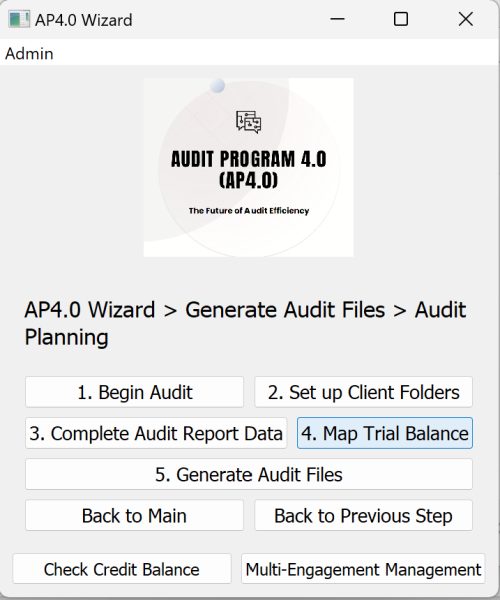
Click the “4. Map Trial Balance” button to generate the Chart of Accounts (COA) Mapping Form and the Expected Outputs (EO) preview. COA Mapping Form is used to complete financials from the trial balance, to map the trial balance to the financial statements’ face, i.e. the statement of financial position and the income statement, and to map key tests of details’ data to the ledger files.
After clicking the "4. Map Trial Balance" Button:
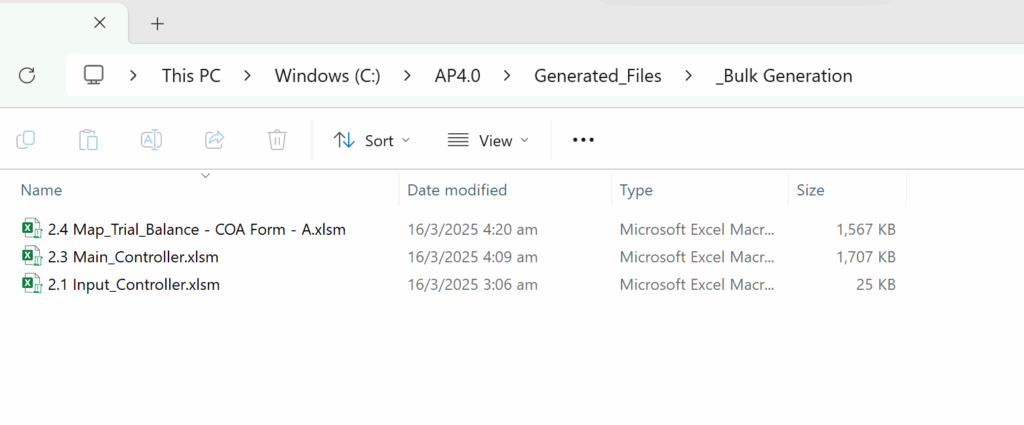
Wait for the Message box that reads “Generated Successfully”. Then browse to the following folder to locate the COA Mapping Form.
Based on the first letter of the Client Name, you will find the COA Form used for Trial Balance Mapping, in this example ABC Company Limited starts with A, therefore, you will find the COA Form in “2.4 Map_Trial_Balance – COA Form – A”. Open this excel file.